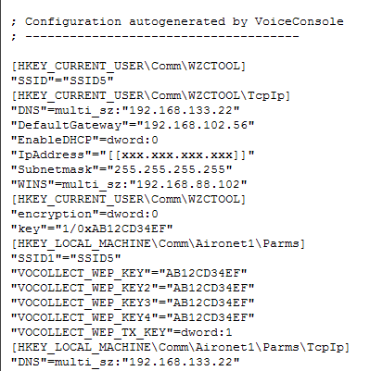
Export a Device Profile Configuration
- From the VoiceConsole tab, select the Device Management tab.
- Under Navigation, click Device Profiles.
- In the View Device Profiles list, select the device profile whose configuration you want to export.
- Under Device Profile Actions, select View selected device profile.
The View Device Profile page opens.
- Under Device Profile Actions, select Export the configuration of this device profile.
- The exported profile configuration will appear in your browser window, or you will be asked to open or save it.