Wearing a Wired Headset
- Put the headset on and adjust the ear pad to fit snugly over your ear.
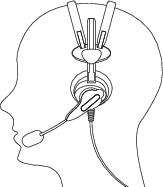
- Rotate the electronic module up or down to position the microphone near your
mouth.
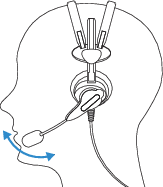
- Make final adjustments with the flexible boom so that the microphone is positioned correctly. Position the microphone as close to your mouth as possible, but outside of your breath stream. It should be facing your upper lip, and not touching anything (for example, clothing, skin, or facial hair). The microphone should be approximately 1" from the corner of your mouth.
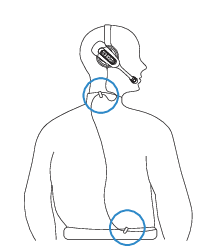
- Use the cable clips to fasten the wire to the collar and belt to prevent snagging.
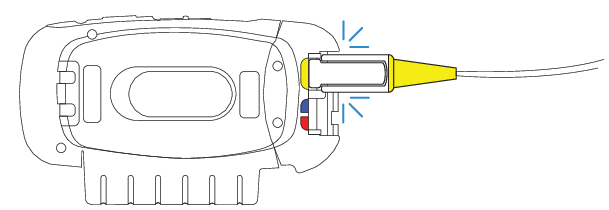
- Locate the yellow port on the A720/A720x.
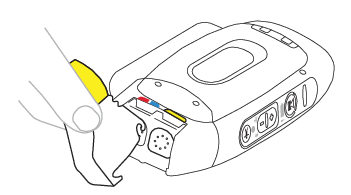
Snap the connector into place.
Adjust for Comfort
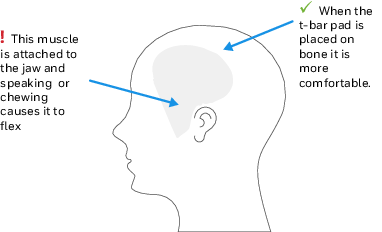
Placement of the "T-bar" pad: SRX2 and SRX3 headsets have pads called "t-bars" opposite the speaker side of the headset. The t-bar should be positioned on a part of the head with the least amount of muscle.
As an operator speaks, the muscle above the ear flexes. If the t-bar is placed on this muscle, the headset applies pressure to the artery and nerves beneath it and can cause the operator some discomfort. The operator can locate this muscle by moving his or her jaw and feeling the area above the ear for movement. Some operators choose to alternate the headset position on either side of their heads during their shifts.